Settings
 Fast Delivery
 Payment Types


 Marketplace Product

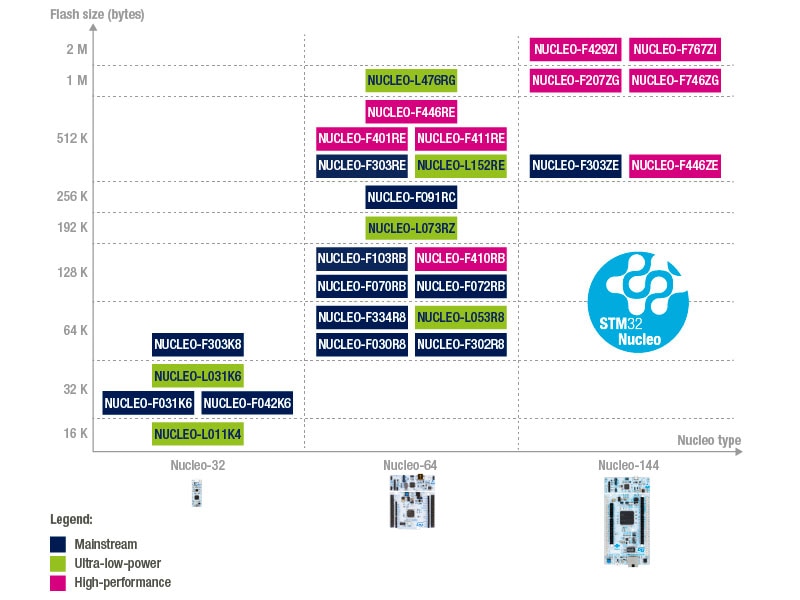
Mfr Part # NUCLEO-F411RE
NUCLEO-64 STM32F411RE EVAL BRD
STMicroelectronics

Microcontrollers Environmental Magnetic Movement Acceleration Real Time Clocks (RTCs) Arduino ESP32
It’s a powerful thing to be able to interact with your embedded system over a serial port. Even in its most basic form, a simple command-line interface (CLI) that responds to a defined set of commands and parameters can make it easy to quickly prototype on your device, modify configuration values, or inspect its running state, all without needing a debugger.

In fact, one of the many utilities that are provided “out-of-the-box” by the Zephyr project is a fully-featured CLI (called the shell utility).
Going a step further, though, we could supercharge our CLI if we used an interpreted language instead of just a set list of commands. With an interpreted language, we could declare new variables and compose loops, conditionals, and functions, all from the command line.

One of MicroPython’s best features is its REPL (“read-evaluate-print-loop”), which allows a person to write Python code and interact with their hardware, all from a serial connection. Lua and Forth are two other interpreted languages that came up in my research as being particularly well-suited for embedded systems.
So, how do these tools stack up against each other? Which one is best for quickly prototyping a new design? We’ll take a look at each one, focusing on:
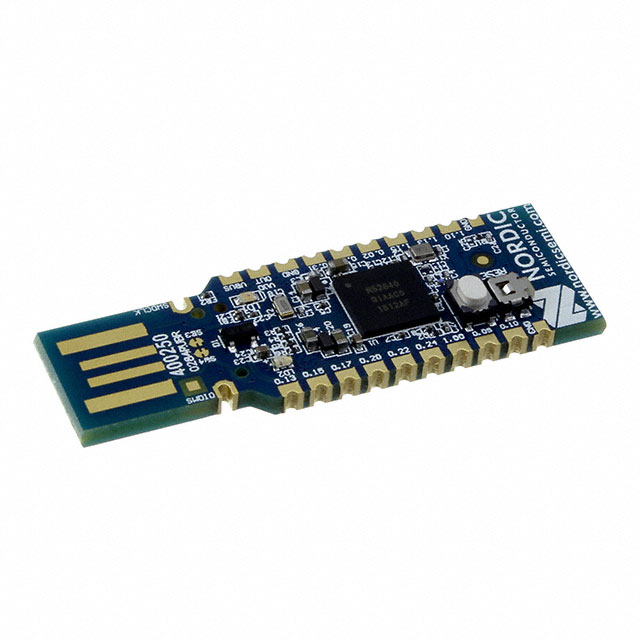
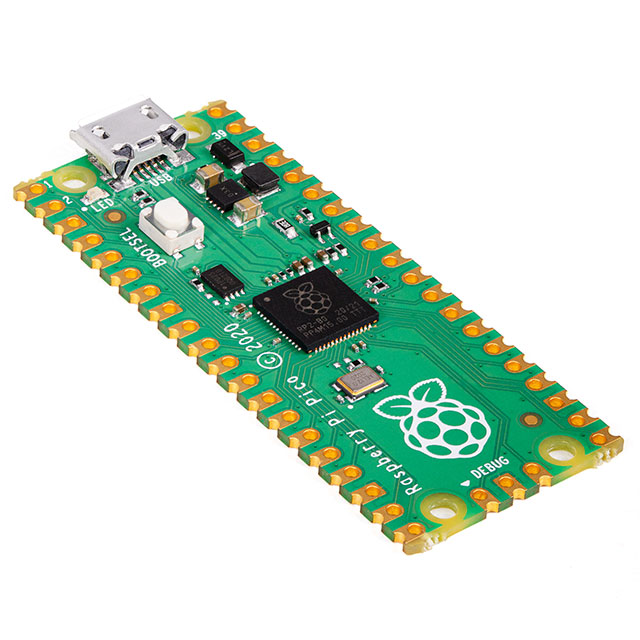
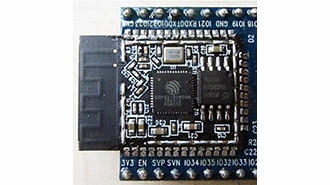
I’ll be using a Nucleo-F411 development board to test out each of these projects. Other development boards that can run each of the projects below include: STM32 Nucleo-F401/L476/H743, Nordic nRF52840/nRF52 (including Arduino Nano 33 BLE), NXP FRDM-K64F, Raspberry Pi Pico, and ESP32 DevKitC.
MicroPython (and its close cousin, CircuitPython) are very neat projects that let a developer run Python code on an MCU and, perhaps just as importantly, provide a REPL and a file system out-of-the-box, for extremely quick prototyping.
Getting MicroPython to run on my Nucleo-F411 required:
1. Downloading the MicroPython library and any submodules:
# MicroPython source + submodules (CMSIS, ST HAL, etc.)
git clone https://github.com/micropython/micropython.git
cd micropython
git submodule update --init --depth 1

# Build the host-side cross-compiler (required before any port build)
make -C mpy-cross
2. Optionally copying and changing any settings in mpconfigboard.h and mpconfigboard.mk for my specific system. (Among other things, I chose to turn off a few libraries that I wasn’t going to need, to use single- instead of double-precision floating-point numbers, and to compile at –Os.)
3. For out-of-source builds, I also needed to copy pins.csv and stm32f4xx_hal_conf.h into my project folder.
4. Use make to build the firmware, providing values to BOARD, BOARD_DIR, and BUILD for build files to land in the project folder (not the MicroPython source tree).
MPY_DIR  ?= $(HOME)/Documents/CodeLibraries/micropython
BOARD    := F411_MINIMAL
BUILD    := $(CURDIR)/build

all:
	$(MAKE) -C $(MPY_DIR)/ports/stm32 \
		BOARD=$(BOARD) \
		BOARD_DIR=$(CURDIR)/boards/$(BOARD) \
		BUILD=$(BUILD) \
		MPY_DIR=$(MPY_DIR) \
		-j$(shell nproc)
5. Flash the binaries. Ex:
openocd -f board/st_nucleo_f4.cfg \
        -c "init; \
            reset halt; \
            stm32f4x mass_erase 0; \
            flash write_image erase $(BUILD)/firmware0.bin 0x08000000; \
            flash write_image erase $(BUILD)/firmware1.bin 0x08020000; \
            verify_image $(BUILD)/firmware0.bin 0x08000000; \
            verify_image $(BUILD)/firmware1.bin 0x08020000; \
            reset run; exit"
All told, it only took me a few hours to get going, which wasn’t nearly as bad as I’d originally expected! Connecting over serial brought me to a satisfying REPL, where I had the full power of the MicroPython language (a subset of Python) and could import a large number of libraries that could make developing and doing high-level things exceedingly easy.

The final compiled size (even after my few optimizations) was 277 kB.

Additionally, my research shows that MicroPython runs about 50-250x slower than native C/C++, possibly even slower than that for compute-heavy programs, such as when computing FFTs (fast Fourier transforms), SHAs (secure hash algorithm), or FIR (finite impulse response) filters.
——[! NONE of these sizes include floating-point math]———————
The sizes of each compiled binary in this article do not include any software floating-math libraries because the STM32F411 has a hardware floating-point unit (FPU). Since essentially every project listed here requires some kind of floating-point math support, however, any device that doesn’t have a hardware FPU will incur the extra flash cost of any required software floating-point library functions. Keep that in mind if you build any of these projects for an MCU without a hardware FPU!
————————————————————————————————————————————————————————————
However, this was a bit of an idealized scenario in which I didn’t have to write any new code for my device to be able to run MicroPython; my development board was fully supported by the library. As you can imagine, I’d have more work to do if I wanted to run MicroPython on an STM32F411 on a custom board, or on an STM32 device from an MCU family that didn't yet have a port (such as the STM32H5). In fact, this work could be very non-trivial, taking anywhere from days to months depending on how much code I have to write or provide from scratch. The graphic below summarizes, for five progressive scenarios, roughly how many lines of code (LOC) you’d need to write or modify (and in which files) and how long that might take to port MicroPython to the listed device.

Interfacing with C/C++ code (for performance reasons or if you were porting MicroPython to a new device and were writing the HAL to let it interact with the MCU) is straightforward in the simple case: every value in or out is of type mp_obj_t, which is a tagged union of possible Python data types, and functions are registered using macros that specify the exact number of arguments the function accepts.
// Exactly 1 positional arg
mp_obj_t my_func(mp_obj_t a);
MP_DEFINE_CONST_FUN_OBJ_1(my_func_obj, my_func);
// Keyword arguments
// args[0..n_args-1] are positional, args[n_args..n_args+2*n_kw-1] are
// key/value pairs
mp_obj_t my_func(size_t n_args, size_t n_kw, const mp_obj_t *args);
MP_DEFINE_CONST_FUN_OBJ_KW(my_func_obj, 0, my_func);
You can access the values inside these arguments using conversion functions like mp_obj_get_int(arg) or mp_obj_get_float(arg).
If you’re writing the HAL, your code has to execute synchronously, and you have to match the API that MicroPython expects for each peripheral, which may not be quite how you want to use them. Things also get weird if you want to implement streaming data, need try/catch semantics in your C/C++ code, or are trying to incorporate interrupt-driven code.
One last thing to consider is that MicroPython requires dynamic memory allocation to run.
Zephyr is a “hardware agnostic firmware environment” with the main goal being that a person can write an application once and then re-target it to another piece of hardware (new MCU, new sensors, etc.) by changing as little as 1 line of code. Unlike all of the other options I chose to compare, Zephyr does not implement anything resembling an interpretable language; however, it does come with a very handy shell utility (enabled by changing a single line in a configuration file) that can let you interact with your device over a serial port.
Getting Zephyr to run on my Nucleo-F411 required:
1. Installing West, and then the Zephyr SDK from here (I grabbed the latest minimal release for Linux)
pip install west
mkdir ~/zephyrproject && cd ~/zephyrproject
west init
west update

wget https://github.com/zephyrproject-rtos/sdk-ng/releases/download/vX.X.X/zephyr-sdk-X.X.X_linux-x86_64_minimal.tar.xz
tar xf zephyr-sdk-X.X.X_linux-x86_64_minimal.tar.xz
cd zephyr-sdk-X.X.X
./setup.sh
cmake -P cmake/zephyr_sdk_export.cmake
a. I also had some trouble installing dependencies like jsonschema, pyelftools, and libusb, which I eventually fixed by manually installing them:
sudo apt install libusb-1.0-0-dev libudev-dev
~/.local/share/pipx/venvs/west/bin/python-m pip install \-r
~/Documents/CodeLibraries/zephyrproject/zephyr/scripts/requirements-base.txt \-r
~/Documents/CodeLibraries/zephyrproject/zephyr/scripts/requirements-build-test.txt
2. Make prj.conf (project-level configuration), main.c, and CMakeLists.txt (for compiling main.c and any other source files).
3. Build and flash
export ZEPHYR_BASE=~/zephyrproject/zephyr
west build-b nucleo_f411re-d build .
west flash--runner openocd
All told, it only took me a few hours to get going, which wasn’t nearly as bad as I’d originally expected! Connecting over serial brought me to a prompt, with some minimal functionality (though the minimalism had more to do with the fact that there was nothing in my application than with the limitations of the Zephyr shell).

The final compiled size (even after a few optimizations) was 44 kB.

About 30 kB of this is the Zephyr kernel, HAL, and main. The remaining 14 kB can be attributed to the actual shell utility.
Additionally, Zephyr is going to run the fastest out of all four of these options, since any user code would be written in native C/C++ and executed directly as machine code.
However, as was the case with MicroPython, this was a bit of an idealized scenario in which I basically didn’t have to write any new code for my device to be able to run Zephyr. Porting Zephyr to a different device, however, could take anywhere from days to months.

In general, porting Zephyr takes slightly more code than an equivalent effort for MicroPython (the DTSI files can be quite verbose, and there are stricter requirements when writing the peripheral drivers for a new vendor) and can be slightly more confusing (how an application maps to the hardware is essentially controlled at build-time by the DTS and DTSI files, not by C/C++ source code, which are configuration files with foreign syntax to anybody who hasn’t done Linux kernel development). On the other hand, it’s much easier to integrate Zephyr with other C/C++ code; Zephyr is in C!
Zephyr peripheral drivers give a developer more control than MicroPython does, by supporting various forms of asynchrony and by exposing access to the peripheral registers when low-level control is needed (as for using a peripheral in a non-standard way, such as UART in LIN mode, or SPI in 3-wire half-duplex).
Lua is a very interesting language that shares some of Python's high-level feel, which makes writing code in Lua feel rather effortless. For example, here’s some Lua code that prints the numbers 1 through 10, that sorts and prints a table, and that implements the start of an “Animal” class:
for i=1,10 do print(i) end
t = {3,1,4,1,5,9}; table.sort(t); print(table.concat(t, ", "));
local Animal = {}
Animal.__index = Animal
function Animal.new(name, sound)
    local self = setmetatable({}, Animal)
    self.name = name
    self.sound = sound
    return self
end
Furthermore, Lua was designed to be embedded in other languages, so it’s quite easy to build and to use on embedded systems.
Getting Lua to run on my Nucleo-F411 required:
1. Downloading the Lua source code
cd #install location
curl-L-R-O https://www.lua.org/ftp/lua-5.5.0.tar.gz
tar zxf lua-5.5.0.tar.gz
rm-rf lua-5.5.0.tar.gz
2. Creating an STM32 project in CubeMX
3. Copying luaconf.h to Core/Inc and slightly modifying it:
#define LUA_32BITS
#undef  LUA_PATH_DEFAULT
#define LUA_PATH_DEFAULT  ""
#undef  LUA_CPATH_DEFAULT
#define LUA_CPATH_DEFAULT ""
4. Adding the Lua source files (e.g., lmathlib.c, lparser.c, ltm.c, etc) to the project makefile (and making changes to a few other lines)
5. Adding a REPL to main.c, which amounts to getting a line of text from the user (I’m using the EmbeddedCLI library from Andre Renaud to do that, which also gives us some basic line editing) and then giving that line to luaL_dostring inside the while(1) loop.
lua_State *L = luaL_newstate();
luaL_requiref(L, "_G",     luaopen_base,   1); lua_pop(L, 1);
luaL_requiref(L, "math",   luaopen_math,   1); lua_pop(L, 1);
luaL_requiref(L, "string", luaopen_string, 1); lua_pop(L, 1);
luaL_requiref(L, "table",  luaopen_table,  1); lua_pop(L, 1);
struct embedded_cli cli;
embedded_cli_init(&cli, "> ", put_char, NULL);
embedded_cli_prompt(&cli);
while(1) {
  if(uart_avail() && embedded_cli_insert_char(&cli, uart_readc())){
    const char *line = embedded_cli_get_line(&cli);
    if (line && strlen(line) > 0){
      if (LUA_OK != luaL_dostring(L, line)){ /* error */ }
      lua_settop(L, 0);
      embedded_cli_prompt(&cli);
    }
  }
  // Other while(1) stuff
}
6. Building and flashing
make
openocd -f board/st_nucleo_f4.cfg -c "program $(BUILD_DIR)/\
    lua_in_lua_on_STM32.bin verify reset exit 0x08000000"
For detailed setup instructions, see my GitHub repository.
The process of building Lua was significantly easier than for MicroPython or Zephyr; there were only a few dozen source files to contend with, and there is no required build system to use, so I got to pick my own. Getting up and going took only a few hours; about as long as for MicroPython or Zephyr. After flashing and connecting over serial, I was greeted with a Lua REPL.

The final compiled size (with a few minor size optimizations) was 144 kB, of which about 128 kB is from Lua (the rest being the STM32 HAL, C library functions, and main).

In my research, Lua seems to run about 10-50x slower than native C/C++ code, which is also about 5x faster than MicroPython.
There’s no built-in HAL, like there is with MicroPython, but this is easily remedied by writing our own and adding it to the Lua environment. We can do this by:
1. Writing a C/C++ function to interact with our hardware, such as “digital read” (l_dr; see example below). These functions take in a pointer to the Lua state and read/write variables by popping/pushing from a software stack in that Lua state.
2. Registering that C function during startup-up using lua_register.

Now you can call the dr function from Lua (or enter it on the REPL) (e.g., dr(“C”, 13) to do a digital read of pin C13), and the Lua VM will call l_dr and return the value on that pin. A minimal HAL can be built using just a few dozen of these functions (think of the Arduino HAL). Notably, there is no specific API or contract that Lua requires these HALs to have (as is the case for MicroPython and Zephyr), so you can design them however you’d like. Additionally, the ease with which Lua integrates with C/C++ means it's very easy to write things like interrupts, callbacks, or performance-critical code in C/C++ while the rest of the application remains in Lua.
——[! Implement secure microservices with Lua]——————
This is how all external functions are added to a Lua instance: by registering them. A neat consequence of this is that you can create multiple lua_State variables, one per task in your system, and they become fully isolated entities. They cannot touch hardware or interact with any other tasks’ memory space without having a registered function to do so. You can have one task/lua_State running your OTA updates and have it be completely separate from the task/lua_State running your application code.
———————————————————————————————————————————————————
Because of this, the worst thing you can say about Lua, I think, is that every MCU requires a new port (though much of that code can be reused between MCUs). But put another way, this is also Lua’s advantage: porting is consistent, almost no matter the MCU, and it's consistently less effort than what would be needed to port MicroPython or Zephyr to a new MCU (the bottom three rows in the tables above). Getting to a REPL is fairly easy (see the steps above), and adding your own HAL needs only take a few more days, depending on how many peripherals you want to use and how complex they are to configure and use.

Interfacing with C/C++ code is pretty straightforward; in fact, it’s the exact process we followed above for exposing our HAL functions. You write a C function that follows the standard function signature (int (*c_fcn_called_by_lua)(lua_State*L)), pushing and popping your values into or from the software stack in that function, then register it with Lua (lua_register(L, “fcn_name”, c_fcn_called_by_lua);).
Lua also uses dynamic memory allocation, but it's possible to provide your own allocator and so have more control over how a heap/pool is used. Additionally, if certain programming features are entirely avoided in the application code (such as avoiding string.format or table.insert), then it’s possible to restrict any heap usage to initialization only.
Forth is an old language (it predates C!) based entirely around stack operations: everything in Forth does some combination of
The following Forth code prints the squares of the numbers 0 through 9 and defines a word (i.e., a function) to calculate the sum of two numbers squared.
: PRINT-SQUARES ( --
    10 0 DO
        I . ." squared is " I DUP * . CR
    LOOP
;
: SUM-OF-SQUARES ( a b -- c )
    SQUARE SWAP SQUARE +
;
This is... admittedly not the easiest way to code. It made sense 55 years ago when code was much closer to the hardware than it is today, but Forth really shows its age when you try to do anything involving more than three variables, such as operating on arrays, structs, or strings. The stack dance you’d need to do for a simple bubble sort would be mind-bending. By the same token, calling into C/C++ functions and exchanging data with them is challenging and essentially involves treating every data type as an array of Forth “words” or “cells” (typically a 32-bit number, though there are Forth operations that can treat two adjacent cells like the HIGH and LOW values of a combined 64-bit number). (Imagine being forced to think of every struct and string in C as an array of uint8_t.)
The main reason Forth is on this list is because it’s so dang small! The final compiled size of zForth on my Nucleo-F411 was only 25 kB, of which about 16 kB is attributable to zForth (the rest being the STM32 HAL, C library functions, and main). If you want an interpreted language that you can run on your 8-bit MCU with 32 kB of flash, this is it.

Based on my research, Forth runs about 5-20x slower than C/C++.
Like, Lua there’s not really any such concept as a “supported port” so you’ll similarly need to provide your own HAL for each MCU you use. Like Lua, porting is therefore also highly predictable with fewer files to touch and leverages the same build system you use for the rest of your code.
zForth does not use the heap.
It turns out that each option is good at a few things, but not everything, and which one works best for a given project is very much dependent on the nature of that project and its developers. A side-by-side comparison of each of the options we’ve looked at reveals their relative strengths and weaknesses, though I want to reiterate that these values should be considered “rough heuristics” as opposed to “hard limits”. In particular, each language’s “relative speed” (relative to Zephyr, running native C/C++ code), is based only on some preliminary research, not any empirical data, and it is HIGHLY dependent on the actual tasks being done, the data representation(s) being used, and how optimized the program/system is.

In short, use MicroPython if:
Use Zephyr if:
Use Lua if:
Use Forth if:
Personally, I think Lua is the most compelling option on this list, and I intend to explore it further on some upcoming projects. Regardless of my opinion, however, I hope you’ve found some use in this comparison and feel capable of making a more informed choice on your next project.
If you’ve made it this far, thanks for reading and happy hacking!