Settings
 Fast Delivery
 Payment Types


 Marketplace Product

Temperature Monitor With DHT11 and I2C 20x4 LCD
License: GNU Lesser General Public License Displays Humidity I2C / TWI Temperature Arduino ESP32
We will learn how to make a simple temperature monitor using a DHT11 sensor and an I2C LCD
Watch the video!
Learn more about Visuino: What is Visuino
What You Will Need
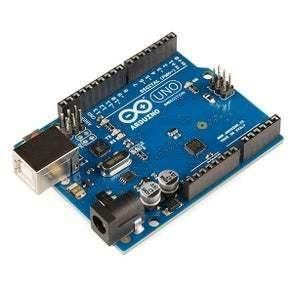
Arduino Uno or any other Arduino board
Visuino software: Download here
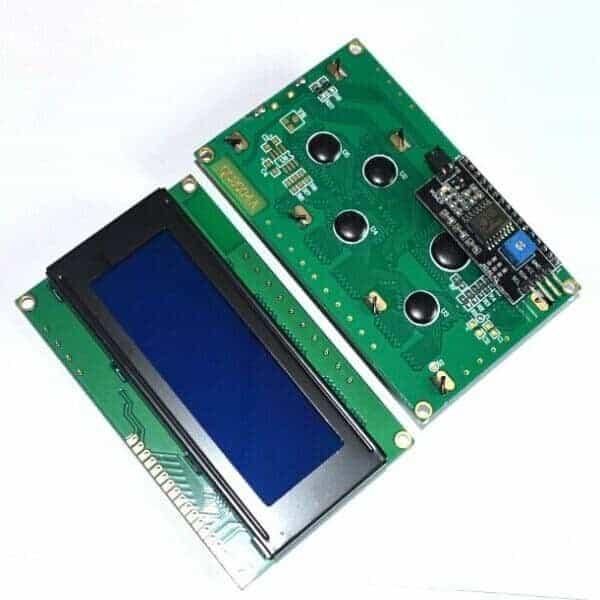
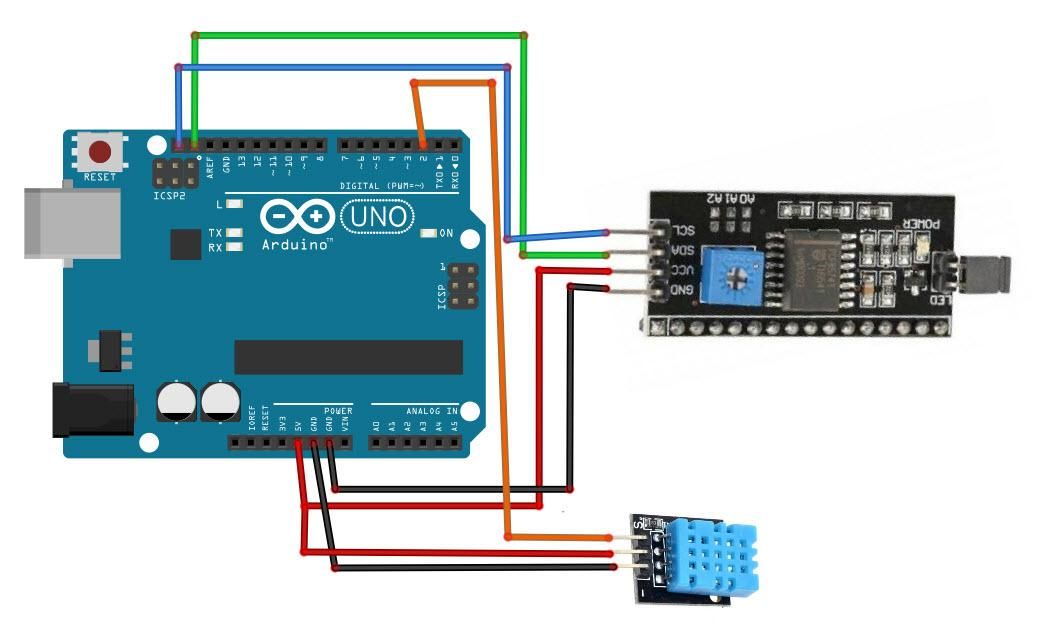
The Circuit
Connect LCD Display pin[VCC] to Arduino pin[5V]
Connect LCD Display pin[GND] to Arduino pin[GND]
Connect LCD Display pin[SDA] to Arduino pin[SDA]
Connect LCD Display pin[SCL] to Arduino pin[SCL]
Note: Use the potentiometer behind the LCD to adjust the brightness
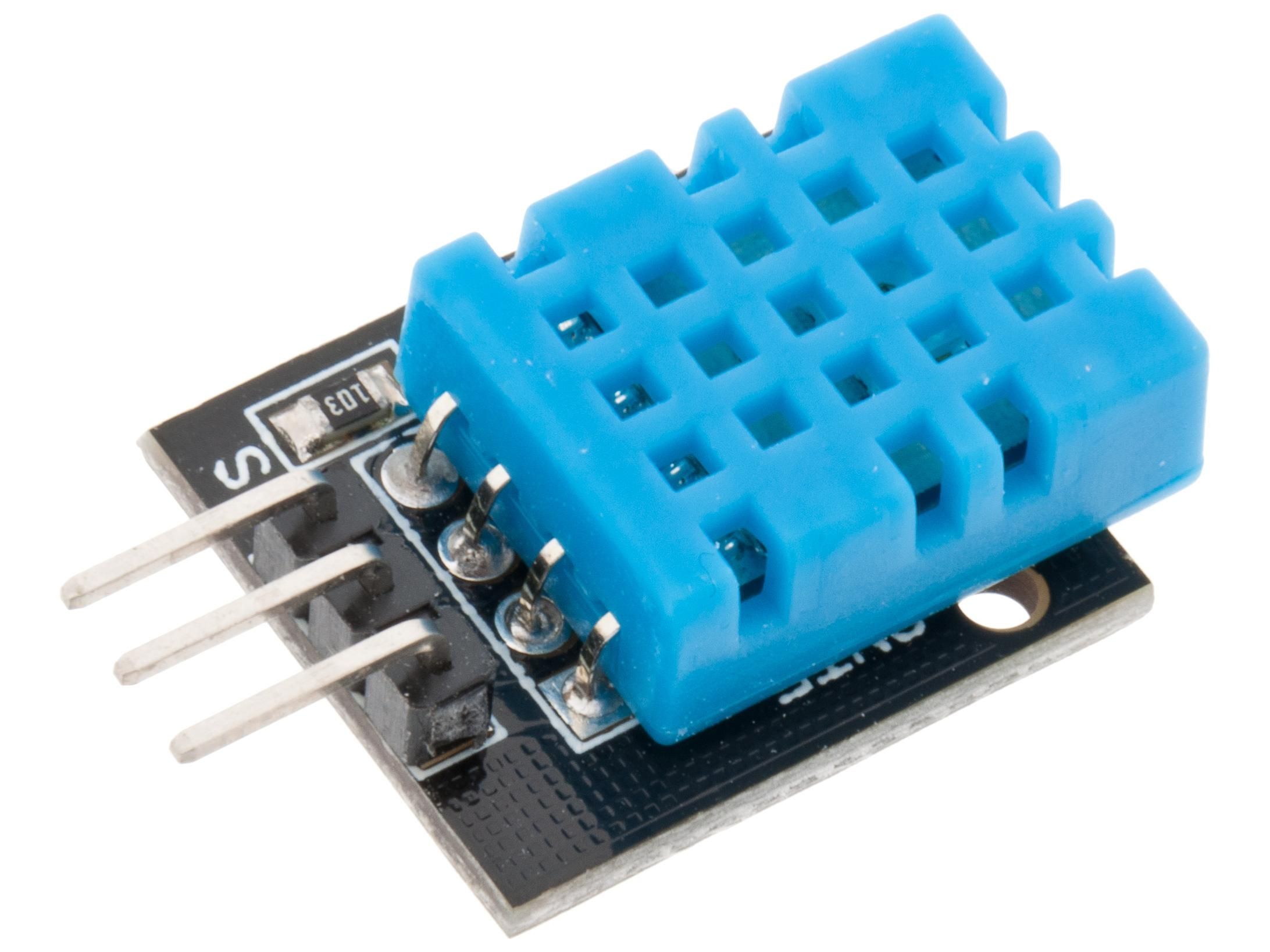
Connect DHT11 sensor pin[GND] to Arduino pin[GND]
Connect DHT11 sensor pin[VCC] to Arduino pin[5V]
Connect DHT11 sensor pin[OUT] or "S" to Arduino digital pin[2]
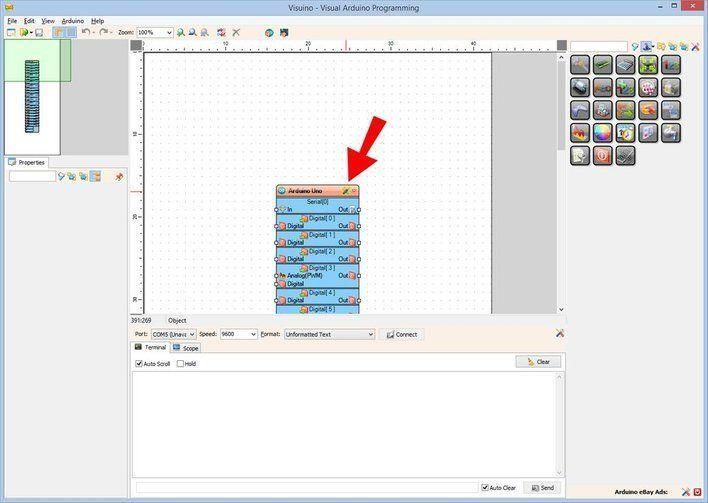
Start Visuino, and Select the Arduino UNO Board Type
The Visuino: https://www.visuino.eu also needs to be installed. Download the free version or register for a Free Trial.
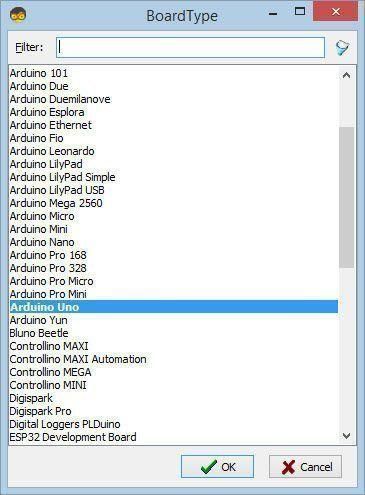
Start Visuino as shown in the first picture. Click on the "Tools" button on the Arduino component (Picture 1) in Visuino. When the dialog appears, select "Arduino UNO" as shown in Picture 2
In Visuino Add,Set & Connect Components
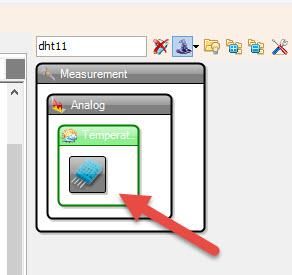
Add "DHT11" component
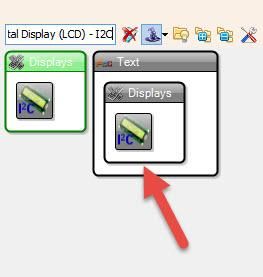
Add "Liquid Crystal Display (LCD) - I2C" componentSelect "LiquidCrystalDisplay1" and in the properties window set Rows to 4 and columns to 20
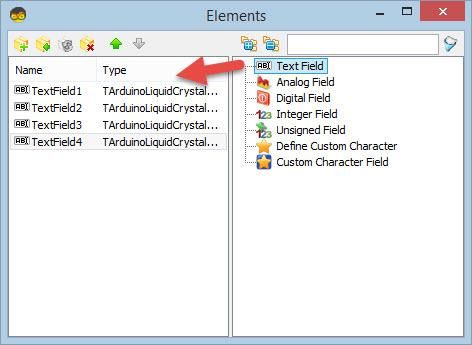
Double click on the "LiquidCrystalDisplay1" and in the Elements window:
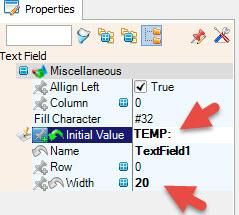
drag "Text Field" to the left side, then in the properties window set text to "TEMP:" and width to 20
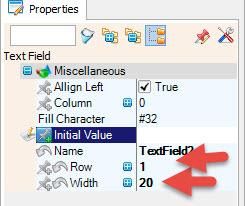
drag another "Text Field" to the left side, then in the properties window set column to 1 and width to 20
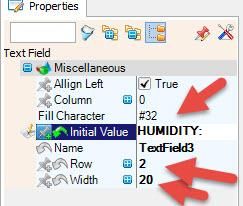
drag another "Text Field" to the left side, then in the properties window set text to "HUMIDITY:" and width to 20 and column to 2
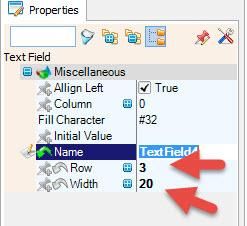
drag another "Text Field" to the left side, then in the properties window set column to 3 and width to 20
Close the Elements window
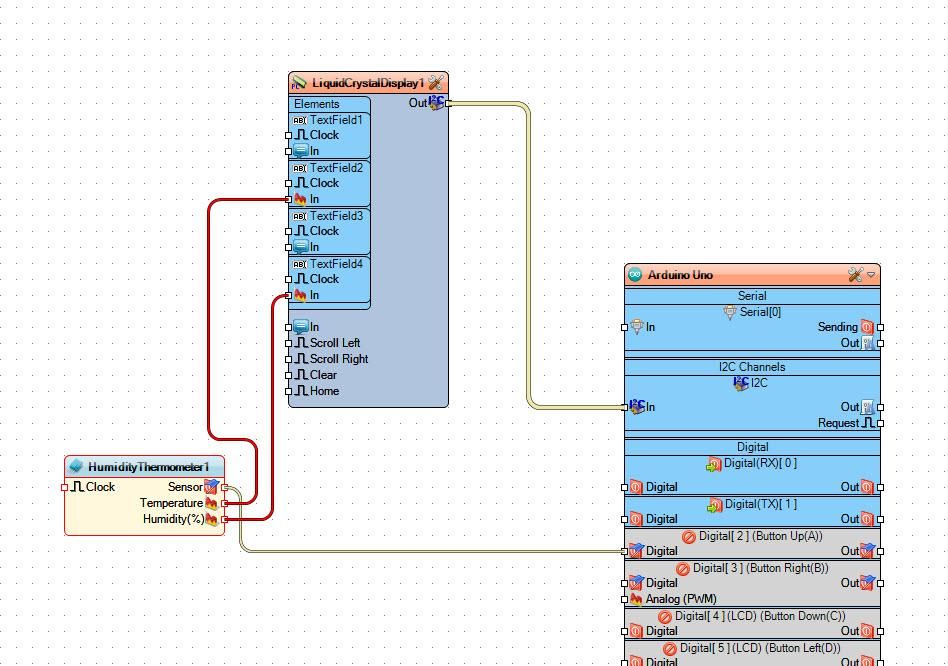
Connect "LiquidCrystalDisplay1" pin I2C Out to Arduino I2C In
Connect "HumidityThermometer1" pin Sensor to Arduino Digital pin 2
Connect "HumidityThermometer1" pin Temperature to LiquidCrystalDisplay1>Text Field2 pin In
Connect "HumidityThermometer1" pin Humidity to LiquidCrystalDisplay1>Text Field4 pin In
Generate, Compile, and Upload the Arduino Code
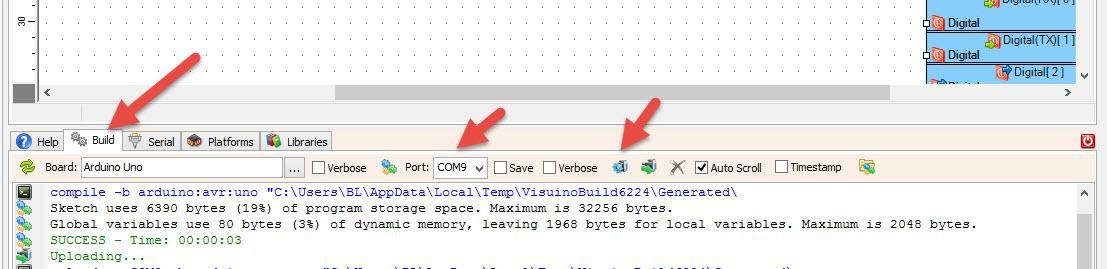
In Visuino, at the bottom, click on the "Build" tab, make sure the correct port is selected, then click on the "Compile/Build and Upload" button.
Play
If you power the Arduino UNO module, the LCD display will start to show the temperature and humidity values. In case you don't see any text, make sure you adjust the brightness using a potentiometer.
Congratulations! You have completed your project with Visuino. Also attached is the Visuino project that I created for this; you can download it and open it in Visuino: https://www.visuino.eu